
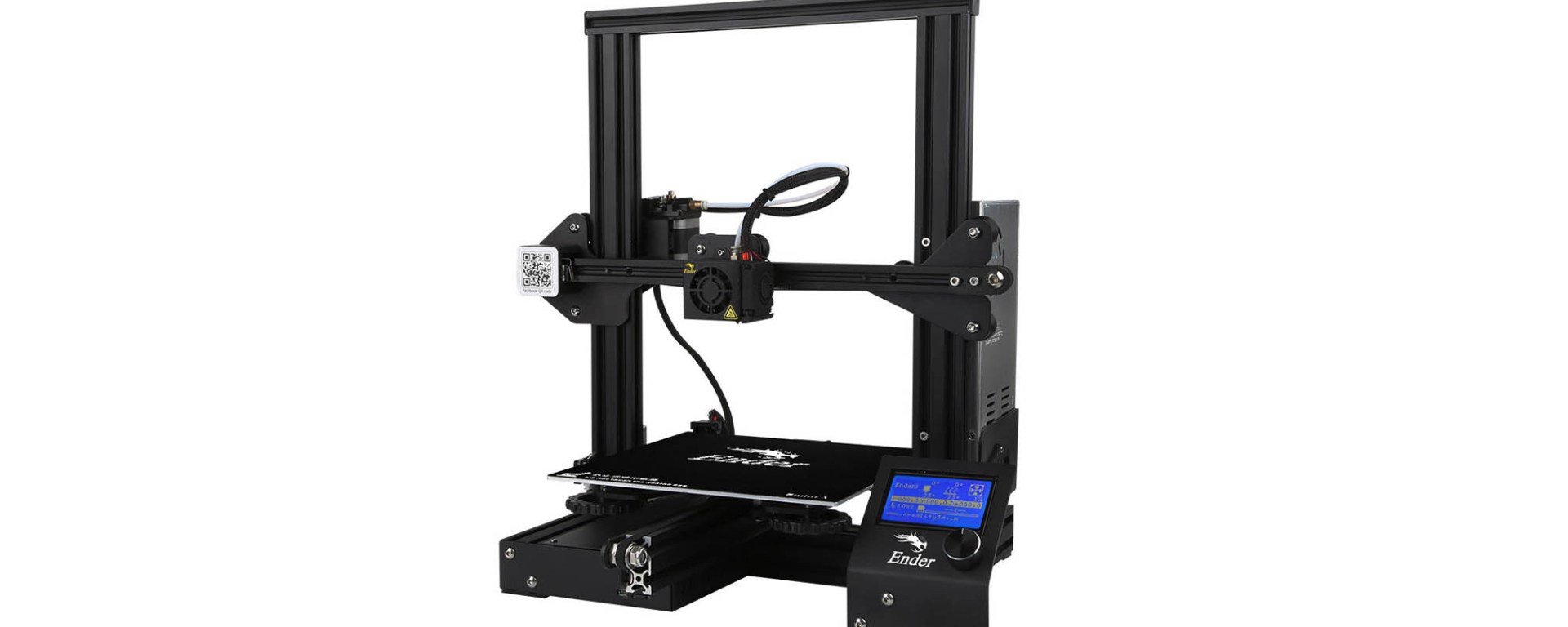
It has been 8 long months since I purchased the Ender 3 Pro 3D printer from Creality and I have to admit, making it to the end of 2020 without it would have been all the more excruciating. While quarantining for months on end, I was able to immerse myself in the world of 3D printing through endless Autodesk Inventor tutorials and perusing the pages of Thingiverse. Ultimately, I have been rather impressed with the quality, consistency, and overall experience of using the Ender 3 Pro. I have put the printer through it’s paces with over 100 prints using a variety of filaments including PLA, silk PLA, hybrid wood PLA, PETG, and flexible TPU. I’ve printed and built everything from robotic arms to custom cookie cutters with surprisingly consistent results ~ I can’t say the same for the cookies though… Not too bad considering the price point of $258 for this intermediate kit printer.
The printer assembly is pretty straightforward, however I do recommend watching any tutorials you can find on YouTube before attempting to build the printer. There are a ton of tips and tricks to get the printer up and running with great prints from the first time you power it on floating around on the internet and I definitely found them all insightful and helpful. I assembled the Ender 3 Pro and printed my first dog (one of the classic test print files that comes preloaded on the Ender 3 Pro SD card) within the first 3 hours of the printer arriving at my door. There are some review sites that state “if you can build an IKEA shelf, you can build an Ender 3 Pro” but I should warn you that this is a kit printer and you should have some experience as a maker, hobbyist, tinkerer, or just be willing to do your research and be patient (lots of small parts included, awkward bolt holes, and fine tuning required).
As far as software, I’ve been using Autodesk Inventor Professional 2020 to create custom 3D models and export them as .STL files and Ultimaker Cura for slicing the models and compiling the G-code. At the heart of Ultimaker Cura is its powerful, open-source slicing engine, and the latest versions of Cura include a profile specifically for the Ender 3 Pro. I would recommend both of these platforms for creating and printing 3D models.
Ender 3 Pro Specs
- Print volume: 220 x 220 x 250mm
- Nozzle: Single 0.4mm
- Filament: 1.75mm
- Heated bed temperature: 110℃
- Max. print speed: 180 mm/s
- Layer resolution: 0.1 – 0.4 mm (100-400 microns)
- Connectivity: SD card reader
- LCD screen: Yes
- Print precision: +/- 0.1 mm
- Packing type: Unassembled kit
Pros
- Affordable
- Easy to assemble
- Compact design
- Large print volume
- High-quality prints
- Hackable
- Tight filament path
- Magnetic and glass print beds
Cons
- Tricky print leveling
- Nozzle temp accuracy
- OEM Bowden tubing
- Noise level
- Cable management
- Plastic OEM Extruder Feeder
Overall, the Ender 3 Pro is an excellent and affordable 3D printer for those getting into the hobby. It offers features that you do not find in more expensive 3D printers such as a decent build volume of 220 x 220 x 250mm, magnetic and heated glass bed options, a power recovery mode, and a tight filament pathway that makes it easier to work with flexible materials. It is also very customizable and compatible with industry standard applications.
Make sure to check out my designs on Thingiverse!
Happy printing!

 The Anonymous Beard